MUltimate Assembler v1.4
MUltimate Assembler (the OllyDbg plugin) v1.4 is available!
This version adds some useful features to the tab control.
Read More…
MUltimate Assembler (the OllyDbg plugin) v1.4 is available!
This version adds some useful features to the tab control.
Read More…
7 Taskbar Tweaker v2.0 is out!
Now you don’t have to open Taskbar Inspector to Group your taskbar items the way you want to.
The new drag-within-groups option enables you to do it using the right mouse button!
Here is a short demo to demonstrate how it works:
Remember the good ol’ Resource Hacker?
It’s a popular Resource viewer/editor, I use it to quickly view and edit resources. I tried to find an alternative, but I did not find any that I liked, so I decided to just improve Resource Hacker.

Here is a patcher that needs to be used on the original Resource Hacker v3.6.0.92:
Resource Hacker FXer.zip (117.97 kB, changelog)
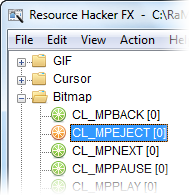
Here is how it looks:

What does the patcher change:
Read More…
7 Taskbar Tweaker v1.8 is here!
No extremely new features this time, but there are some improvements…
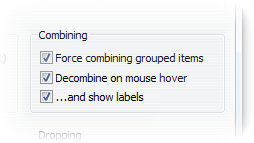
The decombine-on-hover feature introduced in v1.7 can also show labels when decombining.

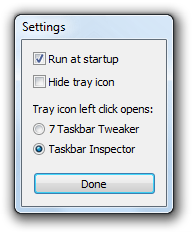
Taskbar Inspector can now be opened by left clicking the tray icon.

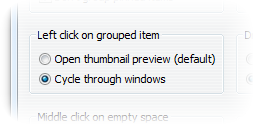
The Left click on grouped item function is back. Although the tweak can be enabled through the registry, people wanted it back in 7TT, so here it is.

Before running the new version, don’t forget to close the old one to avoid this 🙂
Future versions will warn you if you have an old version running instead of just opening it’s window.
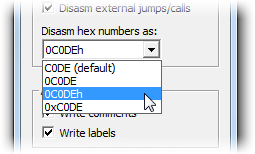
MUltimate Assembler (the OllyDbg plugin) is updated to version 1.3, with a new option of choosing how to disassemble hexadecimal numbers:

Also in this version:
– Fixed a crash when writing labels and comments.
– The asm files path can be set in the configuration file.
winapiexec is a small tool that allows to run WinAPI functions through command line parameters.
The syntax is:
winapiexec.exe library.dll@FunctionName 123 unicode_text "a space"
If you don’t specify a library or use “k”, kernel32.dll is used.
If you specify “u” as a library, user32.dll is used.
Numbers are detected automatically. You can use hex numbers (like 0xFE) and use the minus sign (e.g. -5).
Strings are Unicode by default.
You can use special prefixes to specify parameter types:
$s:ansi – an ANSI string.
$u:unicode – a Unicode string (it’s Unicode by default, but you can use it to force numbers as strings).
$b:1024 – a zero-bytes buffer with the size you specify, in bytes.
$$:1 – a reference to another parameter, you can also use $$:0 for the program’s name (argv[0]).
$a:0,1,two,3 – an array of parameters, divided by commas. You can use all the prefixes here. Each parameter is a 32-bit number (64-bit for winapiexec64).
$a[1,2,$a[3,4],5] – an alternative syntax for an array of parameters. Allows to have nested arrays.
$$:3@2 – a reference to an item in an array of parameters, can have more than one indirection.
While referencing another parameter, note that they are processed by the order of execution, which means there’s no point to reference a parameter at the right side relative to the referencing one.
Also note that when a function returns, its first parameter (like library.dll@FunctionName) is replaced with the return value.
You can execute multiple WinAPI functions, one after the other, using a comma:
winapiexec.exe library.dll@FunctionName1 123 , library.dll@FunctionName2 456
You can also have nested functions, using parentheses:
winapiexec.exe library.dll@FunctionName1 ( library.dll@FunctionName2 456 )
In this case the return value of the internal function is passed as a parameter to the external function.
winapiexec.zip (6.02 kB)
Latest version: v1.2
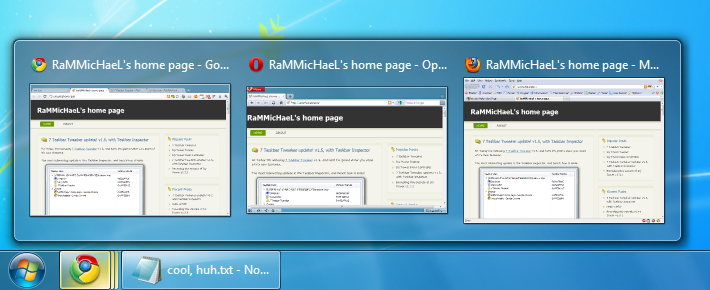
That’s right, and here’s how it looks:
Together with whatever-you-want grouping introduced with v1.6 (video), it becomes a really handy feature.
Read More…
Ever thought that the idea of taskbar items grouping is good, except that Windows does not group the correct items? 7 Taskbar Tweaker v1.6 is here to the rescue!
Now what do you think about this? 🙂

Read More…
Hi! Today I’m releasing 7 Taskbar Tweaker v1.5, and here I’m gonna show you some of it’s new features.
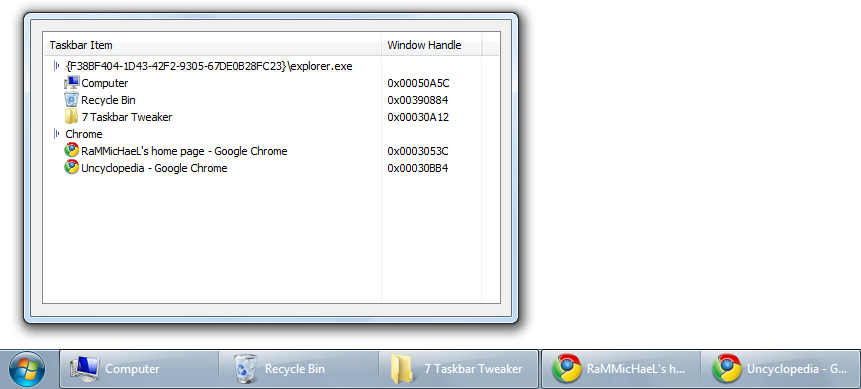
The most interesting update is the Taskbar Inspector, and here’s how it looks:

It’s basically a list of your taskbar items, and it allows you to do the following:
Read More…
Welcome to my blog!
This is actually my first post here, all the older ones are imported from the old forum, which I wanted to get rid of for some time already but didn’t have the time to.
Now, as my previous hosting crashed, and WordPress 3.0 was released, I decided to give it a try.
Enjoy your stay 🙂